Table of Contents
- What belongs on a one-page scorecard
- Where each number lives and when to act
- Outcome metrics: the numbers the business feels
- Channel metrics: where the calls came from
- Leading indicators: the early warning lights
- Six steps to build your monthly scorecard
- How to run the 10-minute review
- Common mistakes
- FAQs
- Next step: draft your scorecard this week
Most service business owners get a marketing report every month. Few of them could say, after reading it, whether marketing actually worked. The report is long, full of sessions and click-through rates, and never answers the only question that matters: did we get more booked, qualified calls, and what did each one cost?
The fix is not more data. It’s a one-page monthly scorecard that you can read in ten minutes, that uses the same definitions every month, and that ends with a short list of decisions. If a number on the page would not change what you do next month, it does not belong on the page.
This guide is for owners and marketing leads of service businesses — trades, clinics, home services and professional firms — across the US, UK, AU, CA and NZ. It covers the three layers of a useful scorecard (outcomes, channels and leading indicators), where each number lives, six steps to build your own, how to run the monthly review, and the mistakes that turn reporting into wallpaper.
If a number on your scorecard would not change a decision next month, take it off the page.
What belongs on a one-page scorecard
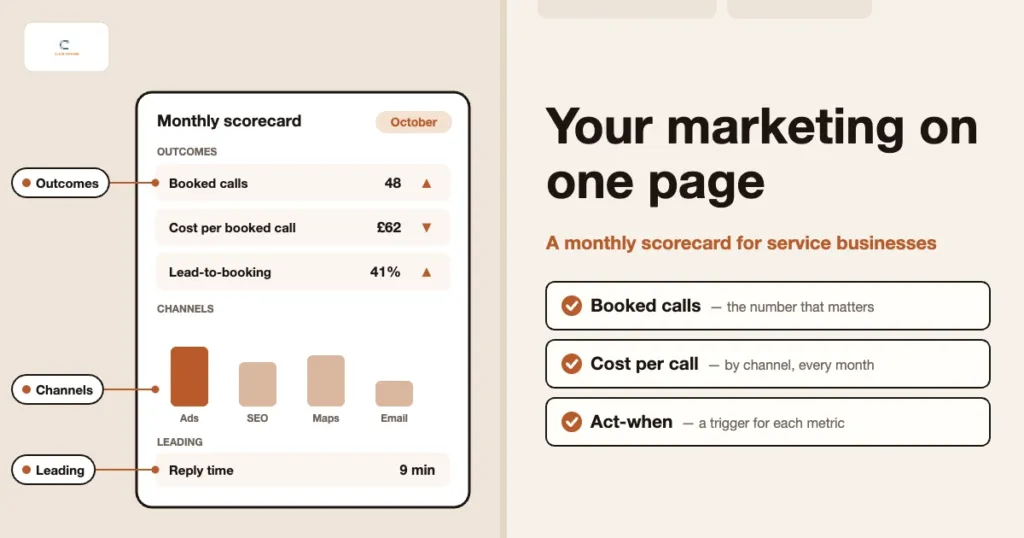
A good scorecard reads from the top down, like a story. The top tells you whether the month was good. The middle tells you where the result came from. The bottom tells you what is likely to happen next. That gives you three layers:
- Outcome metrics. Booked calls, cost per booked call, lead-to-booking rate, and revenue or jobs won from marketing. These are the numbers the business actually feels.
- Channel metrics. The same outcomes split by source: Google Ads, organic search, Google Maps and your Business Profile, email, and referral. This is where you see what is pulling its weight.
- Leading indicators. Search impression share, Business Profile actions, conversion rate by landing page and lead response time. These move before outcomes do, so they give you an early warning.
Everything else (sessions, bounce rate, follower counts, average position) can live in the tools themselves. Dig into them when a scorecard number moves and you need to know why.
Where each number lives and when to act
The table below is a starting point. The “act when” column matters most: it turns each metric into a trigger, so the monthly review becomes a decision meeting rather than a reading exercise. Set your own thresholds once you have a baseline.
| Metric | Where to find it | Act when |
|---|---|---|
| Booked calls | CRM or booking calendar, with call tracking for phone bookings | Below baseline for two months running, or well below the same month last year |
| Cost per booked call | Google Ads spend (plus other paid spend) divided by booked calls from the CRM | Above the ceiling you can afford, based on your close rate and job value |
| Lead-to-booking rate | CRM: leads in versus calls booked | Falls while lead volume holds steady, which points to lead quality or slow follow-up |
| Booked calls by source | CRM source field, call tracking and GA4 session source | One source drops sharply while the others hold |
| Search impression share | Google Ads, including share lost to budget and to rank | Share lost to budget rises while cost per booked call is on target |
| Business Profile calls and actions | Google Business Profile performance view | Calls or direction requests fall while profile views hold |
If you are not yet sure how GA4, call tracking and Google Ads should feed each other, start with our guide to the GA4, call tracking and Google Ads measurement stack. The scorecard can only be as accurate as that plumbing.
Outcome metrics: the numbers the business feels
Booked calls sit at the top of the page. A booked call is a qualified prospect who has agreed to a consultation, quote visit, assessment or appointment. It is not a form fill and not a ringing phone. We explain why that distinction matters so much in tracking booked calls, not clicks.
Cost per booked call comes next. It is total marketing spend for the month divided by booked calls. Cost per lead can look healthy while cost per booked call quietly doubles, which is why we treat booked calls as the unit that counts. The full reasoning is in cost per lead vs cost per booked call.
Lead-to-booking rate shows how well enquiries turn into appointments. When it drops, the problem is usually lead quality, spam or slow follow-up, not the ads themselves. Finally, add revenue or jobs won from marketing, even if it is a rough monthly figure from your CRM or job system.
Channel metrics: where the calls came from
Under the outcomes, split booked calls and cost per booked call by source. For most service businesses that means five rows: Google Ads, organic search, Google Maps and your Business Profile, email, and referral or word of mouth. Keep “other” and “unknown” visible as their own rows. If unknown grows, your tracking needs attention before your marketing does.
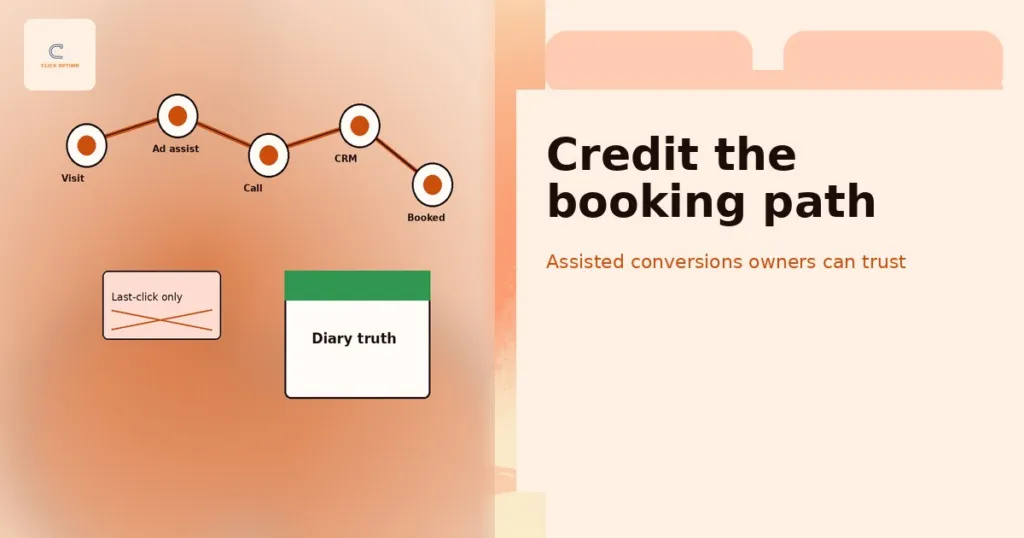
Be realistic about what source data can tell you. Many people see an ad, search your name a week later and then call from your Business Profile. Last-click source is a useful simplification, not the full truth. For how to read assisted conversions without overthinking it, see our post on attribution and assisted conversions.
Leading indicators: the early warning lights
Outcomes lag. By the time booked calls fall, the cause has often been in place for weeks. Leading indicators help you catch it sooner:
- Search impression share. Google Ads shows how often your ads appeared when they were eligible, and how much share you lost to budget or to ad rank. A rise in lost share often comes before a fall in calls.
- Business Profile actions. Calls, website clicks and direction requests from your profile. For local trades and clinics, this is often a major source of calls. Our Google Business Profile guide covers how to grow it.
- Conversion rate by landing page. If one page converts far worse than the rest, fix that page before you spend more sending traffic to it. See landing pages that turn ad clicks into booked calls.
- Lead response time. How long it takes your team to call back a new enquiry. It is rarely in a marketing report, yet it shapes the lead-to-booking rate directly.
Put response time on the page. Ask whoever handles enquiries to log the time each lead came in and the time of the first call back, even in a simple spreadsheet. Once it is on the scorecard, it tends to improve on its own, because people can see it.
Six steps to build your monthly scorecard
You can build a working version in an afternoon and refine it over a quarter. Work through these steps in order, because each one depends on the one before.
1. Define a booked call in one sentence
Write down exactly what counts. For a clinic it might be “a new patient with a confirmed first appointment”. For a roofer it might be “a homeowner with a quote visit in the diary”. Agree what does not count, too: existing customers, suppliers, job seekers and spam. Agree it with whoever answers the phone, not just whoever runs the ads.
2. Connect your sources
List where each number will come from: GA4, Google Ads, Google Business Profile, your call tracking tool and your CRM or booking system. Make sure every lead in the CRM carries a source. If GA4 itself is new to you, our GA4 beginner’s guide for service businesses covers the setup basics. In Google Ads, mark booked calls (or the closest action you can track) as a Primary conversion, and keep softer actions such as page views as Secondary so they don’t steer bidding.
3. Pick eight to ten metrics, no more
Choose three or four outcome metrics, a channel breakdown, and three or four leading indicators. If you are tempted to add a twelfth number, ask what decision it would change. If you cannot name one, leave it in the tool.
4. Set baselines before you set targets
Pull the last three to six months of data, or the same months last year if your business is seasonal. That gives you a baseline for each metric. Only then set targets and “act when” thresholds.
5. Review monthly and leave with actions
Book a fixed 30-minute slot early each month. Spend ten minutes reading the page, then twenty agreeing two or three actions, each with an owner and a date. Next month, start by checking whether those actions happened.
6. Reset the scorecard every quarter
Once a quarter, step back. Are the thresholds still right? Has a new channel earned a row? Has a metric stopped being useful? This is also when you factor in the season ahead. Our guide to seasonal demand planning for trades and clinics shows how to adjust targets for busy and quiet months. Change definitions only at the quarterly reset, and note the change on the page.
How to run the 10-minute review
Read the page in the same order every month, and judge everything in booked calls:
- Minutes one to three: outcomes. Booked calls and cost per booked call against baseline and target. Was the month good, flat or poor?
- Minutes four to six: channels. Which source moved? A fall in booked calls is almost always concentrated in one or two rows, not spread evenly.
- Minutes seven to nine: leading indicators. Do impression share, Business Profile actions, landing page conversion or response time explain the move, or warn of one coming?
- Minute ten: decisions. Write down two or three actions. Examples: raise budget on a campaign losing share to budget while on target, rewrite a weak landing page, or tighten spam filtering on forms.
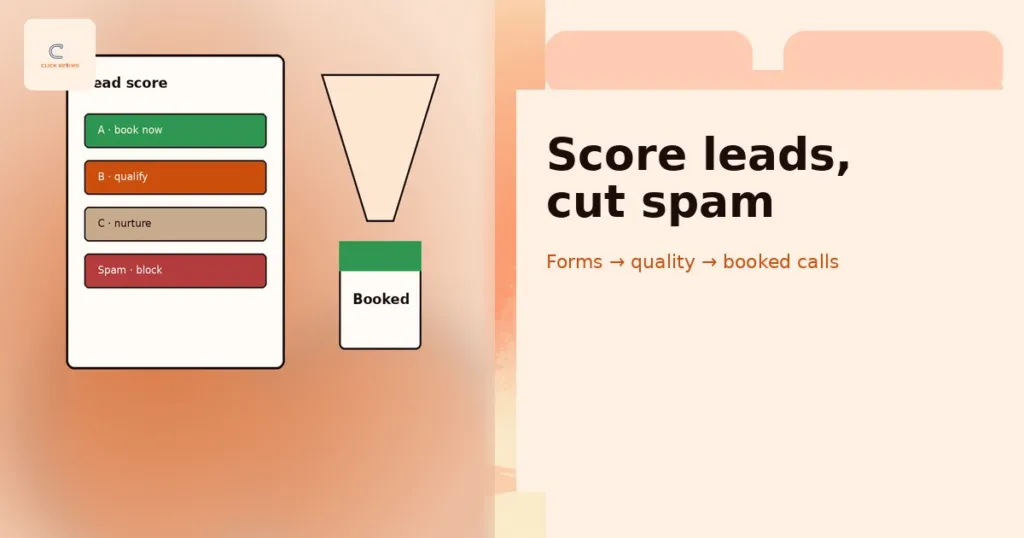
If lead volume looks fine but bookings are falling, check lead quality before touching the ads. Our guide to lead quality scoring and spam forms shows how to separate real enquiries from noise so the scorecard reflects real demand.
Common mistakes
- Reporting vanity metrics. Impressions, sessions and follower growth feel like progress but don’t pay wages. Keep them in the tools and off the scorecard unless they explain a change in booked calls.
- Tracking too many metrics. Twenty numbers means nobody knows which three matter. Eight to ten is plenty for a business of this size.
- Changing definitions mid-stream. If “booked call” means one thing in March and another in April, your trend line is meaningless. Change definitions only at the quarterly reset, and record the date.
- Having no baseline. A cost per booked call means little on its own. Compare it with your last few months and with what a booked call is worth to you.
- Reporting without decisions. If the meeting ends without named actions and owners, the scorecard has become a ritual. Every review should change at least one thing.
If you want help connecting the sources and building the page itself, our analytics and tracking services cover the setup, the definitions and the monthly review.
FAQs
How many metrics should a monthly marketing scorecard have?
Eight to ten is a good range for most service businesses. That covers three or four outcomes, a split by source and a few leading indicators. Anything beyond that tends to bury the numbers that matter.
Can I build the scorecard if my tracking isn’t perfect?
Yes. Start with what you can trust, usually booked calls from your CRM or diary and spend from your ad accounts. Mark any number you are unsure of, and improve the tracking behind it over the next quarter. A rough scorecard you use beats a perfect one you never finish.
Should I review marketing weekly or monthly?
Review the scorecard monthly, because most service businesses don’t get enough booked calls each week for weekly swings to mean much. Your agency or in-house team should still check spend, tracking and lead flow weekly. Weekly checks catch problems, while the monthly review is where you make decisions.
What if my agency’s report doesn’t show booked calls?
Ask for it. Share your one-sentence definition of a booked call and ask them to report cost per booked call by source each month. If they can’t or won’t, that tells you something about how they measure success.
How can ClickOptimo help?
We connect GA4, Google Ads, call tracking, your Business Profile and your CRM, agree a clear booked-call definition with you, and build a one-page monthly scorecard with baselines and “act when” triggers. We then run the monthly review with you so each month ends with decisions, not just numbers. Book via /book/.
Next step: draft your scorecard this week
This week, write your one-sentence definition of a booked call, then fill in last month’s booked calls, total spend and cost per booked call on a single page. Add a source for each booked call if you can. That alone will tell you more than most twelve-page reports.
Book a Growth Diagnostic — we’ll review your tracking and reporting and show you what your monthly scorecard should include.
More context: How to brief (or fire) a Google Ads agency · Lead engine rebuild walkthrough · What the Growth Diagnostic covers
growth@clickoptimo.com · +91-8497982579