Table of Contents
- What Google Ads optimisation should mean for a service business
- Before you optimise: fix the foundations
- A simple optimisation routine: weekly, monthly, quarterly
- Eight optimisation tips that move booked calls
- Optimisation mistakes that make things worse
- How to know your optimisation is working
- FAQs
- Next step: run your first weekly check
It is Monday morning and the Google Ads bill for last month has just landed. Clicks are up, cost per click is up, and the dashboard says you had 46 “conversions”. Your front desk says they took about a dozen genuine enquiries from ads, and only five turned into booked jobs. Somewhere between the dashboard and the diary, most of the money went missing.
That gap is what Google Ads optimisation should close. Not a higher click-through rate for its own sake, not a better Optimisation Score, but more booked calls for the same spend — or the same booked calls for less.
This guide is for owners and marketing leads of service businesses — trades, clinics, home services and professional firms — across the US, UK, AU, CA and NZ. It covers what to fix before you optimise anything, a simple weekly, monthly and quarterly routine, eight optimisation tips that move booked calls, and the changes that usually make things worse.
Optimise for the diary, not the dashboard. If a change does not lead to more booked calls or a lower cost per booked call, it is not an improvement.
What Google Ads optimisation should mean for a service business
Most optimisation advice is written for online shops, where a sale happens on the website and Google can see it. For a service business the sale happens later — on the phone, in a consultation or after a site visit. If Google only sees the form fill or the click on your phone number, it will optimise towards whatever is easiest to get, and that is not always a paying customer.
So start by agreeing which numbers matter and what you will do when they move:
| Metric | What it tells you | Act when |
|---|---|---|
| Cost per booked call | What a real sales opportunity costs you — the number that matters most | It rises for two months in a row |
| Search terms quality | Whether you are paying for the right searches | More than about 1 in 10 clicks come from irrelevant searches |
| Lead-to-booking rate | Whether ads bring people ready to buy | It drops while lead volume rises — usually a quality problem |
| Impression share lost (budget) | Whether good campaigns are capped by budget | A profitable campaign loses a lot of share to budget |
| Conversion rate by landing page | Whether the page after the click is doing its job | One page converts far below the others for similar traffic |
If you are not sure how to calculate cost per booked call, our guide to cost per lead vs cost per booked call walks through it with real numbers.
Before you optimise: fix the foundations
Optimising a Google Ads account with broken tracking is like tuning an engine with the fuel gauge disconnected. Before you change bids, ads or keywords, check three things.
Conversion actions. Only the actions that represent a real enquiry should be set as primary conversions — calls over a sensible length (for example 60 seconds), completed booking forms and calendar bookings. Page views, button clicks and brochure downloads can stay as secondary actions so you can still see them without Smart Bidding chasing them.
Call tracking. For many service businesses, a large share of ad enquiries arrive by phone. If calls are not tracked back to the campaign and keyword, your best campaigns may look like your worst. See the minimum viable measurement stack for the set-up we recommend.
Lead outcomes. The best accounts feed results back to Google Ads — marking which leads became booked calls or jobs, using offline conversion imports from your CRM. Even a simple monthly spreadsheet of booked jobs by campaign is far better than nothing. Our guide to tracking booked calls instead of clicks explains the options.
Check this first: open Goals → Conversions → Summary in Google Ads and look at the “Primary” column. If page views, scroll depth or “contact page visits” are set as primary, Smart Bidding is optimising for them. Fixing this one setting often does more than any other change in this guide.
A simple optimisation routine: weekly, monthly, quarterly
Good accounts are rarely the result of one big overhaul. They come from small, regular checks done on time. This routine takes most owner-run or single-location accounts about an hour a week.
| When | What to check | Time |
|---|---|---|
| Weekly | Search terms, new negatives, spend vs budget, call recordings or lead notes, any tracking gaps | 30–45 minutes |
| Monthly | Cost per booked call by campaign, ad and asset performance, landing page conversion rates, location and schedule results | 1–2 hours |
| Quarterly | Bid strategy and targets, budget split between campaigns, new services or areas, a test plan for the next quarter | Half a day |
Write down every change you make, with the date and the reason. Google Ads keeps a change history, but it will not tell you why a change was made — and that is what you need when you look back in three months.
Eight optimisation tips that move booked calls
These are in the order we usually tackle them in an audit. The early ones protect your budget; the later ones help you grow it.
1. Optimise to booked calls, not form fills
Once your conversion actions are clean, tell Google which ones are worth more. Give a booked consultation a higher value than a general enquiry, and a qualified call a higher value than a 20-second call. With values in place, a value-based bid strategy can favour the searches that tend to produce real jobs.
If junk forms are part of the problem, add simple filters and scoring before you feed results back. Our guide to lead quality scoring shows how.
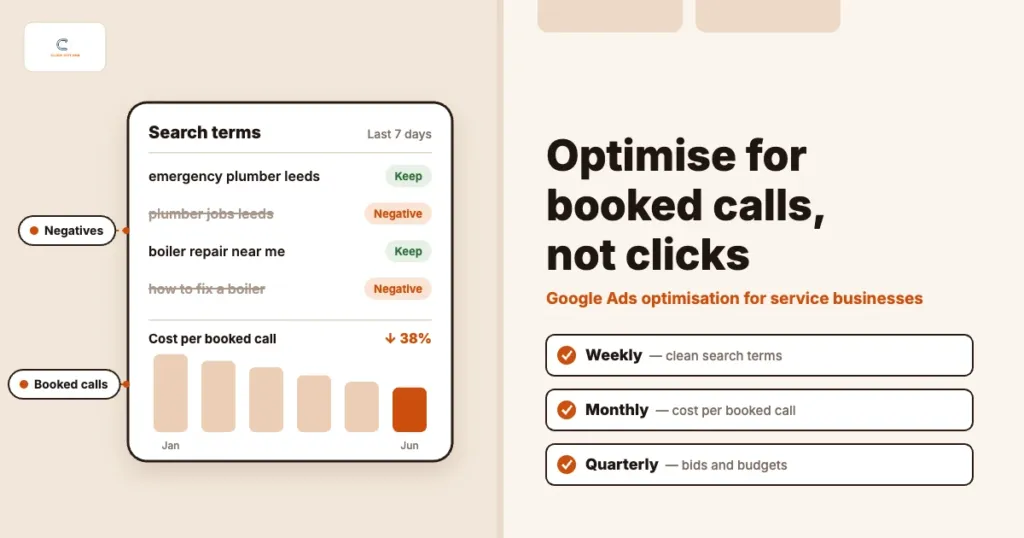
2. Clean your search terms every week
The search terms report shows what people actually typed before they clicked. It is the single most useful report in the account. Each week, sort by cost and look for:
- Job seekers and DIY searches: “jobs”, “salary”, “training”, “how to”, “course”
- Wrong service: services you do not offer, or offer only at a different price point
- Wrong place: towns outside your area that still match your keywords
- Competitor and brand terms: decide on purpose whether you want them, rather than paying for them by accident
Add the wasteful ones as negative keywords at the right level. The negative keyword playbook for service businesses has starter lists you can adapt.
3. Use match types with intent, not volume
Broad match can work well when Smart Bidding has good conversion data to learn from. Without it, broad match tends to spend money on loosely related searches. For most service accounts we start with exact and phrase match on the high-intent terms — “emergency electrician [town]”, “dental implants cost [city]” — and only test broad match once conversion tracking and negatives are solid. Be aware that from September 2026, campaigns using the campaign-level broad match setting are upgraded to AI Max for Search, which widens matching further.
Keep keyword groups tight: one service per ad group, so the ad and landing page can match the search closely. If you are unsure which searches signal buying intent, our keyword research guide explains how to sort them.
4. Tighten location and schedule settings
Two settings quietly waste a lot of service-business budget:
- Location options: the default targets people “in, or regularly in, or who’ve shown interest in” your area. For local services, switch to Presence — people in or regularly in your locations — unless you have a clear reason not to.
- Ad schedule: if nobody answers the phone after 6pm, either run call-focused ads only during opening hours or make sure the evening journey leads to an online booking, not a voicemail.
Also check that Search campaigns are not opted into the Display Network. Google may recommend it when you set up a Search campaign, and it usually brings cheaper, lower-intent clicks.
5. Write ads that pre-qualify
A higher click-through rate is not always good news. If your ad attracts people who cannot afford you or need a different service, every extra click costs money. Good service ads say who they are for and set expectations before the click:
- Name the service and the area: “Boiler repair in Leeds — same-day callouts”
- Show a starting price or minimum where it helps filter: “Kitchen fitting from £8,000”
- Give a reason to trust you: years trading, accreditations, review rating
- Make the next step clear: “Call now”, “Book a free consultation”
Responsive search ads let you add up to 15 headlines and 4 descriptions. Pin only what you must (for example, a compliance line) so Google can still test combinations, and review the asset report each month to replace low performers.
6. Use the assets that drive calls
Assets — previously called extensions — make your ad bigger and give people more reasons to choose you. For service businesses, the most useful are:
- Call assets with call reporting on, so calls from the ad are tracked
- Location assets linked to your Google Business Profile
- Sitelinks to your main service pages, reviews and booking page
- Callouts and structured snippets for guarantees, accreditations and service types
If your Maps listing is a big source of calls, read Google Business Profile for calls to make sure it backs up your ads.
7. Send every click to a matching landing page
Sending all ad traffic to the home page is one of the most common and most expensive mistakes we see. Each main service — and ideally each main area — should have a page that repeats the promise in the ad, shows proof, and makes calling or booking easy on a phone.
Landing page experience is also one of the three parts of Quality Score, alongside expected click-through rate and ad relevance. Better pages can lower what you pay per click as well as raise conversion rates. See landing pages that turn service ad clicks into booked calls and our guide to mobile-friendly websites.
8. Change bidding only when the data supports it
Smart Bidding strategies such as Maximise conversions and Target CPA learn from your conversion data. With only a handful of real conversions a month, they have little to learn from, and frequent target changes reset that learning.
A sensible path for most service accounts:
- Start with Maximise conversions (or Manual CPC if tracking is still being fixed) and a budget you are comfortable with
- Once a campaign has a steady flow of genuine conversions — a common rule of thumb is around 30 a month — set a Target CPA close to what it is already achieving
- Adjust targets in small steps (10–20%) and give each change at least two weeks before judging it
- Move to value-based bidding once lead values or offline outcomes are flowing back reliably
Optimisation mistakes that make things worse
- Auto-applying recommendations: many recommendations raise spend or widen targeting. Review them by hand and switch off auto-apply for anything that changes budgets, keywords or bidding.
- Chasing Optimisation Score: it rises when you apply or dismiss Google’s recommendations, not when you get more booked calls.
- Changing everything at once: if you change bids, ads and landing pages in the same week, you will not know what worked.
- Judging on a few days of data: service enquiries vary by day and week. Look at two to four weeks of data before deciding.
- Pausing brand campaigns to save money: test it properly first — competitors may be bidding on your name.
- Ignoring wasted spend: run through the wasted Google Ads spend checklist at least once a quarter.
How to know your optimisation is working
Once a month, put four numbers side by side for each campaign: spend, genuine leads, booked calls and cost per booked call. Compare them with the previous month and the same month last year if you have it. If cost per booked call is falling — or booked calls are rising at a similar cost — your optimisation is working, whatever the click-through rate says.
If your agency reports clicks and Optimisation Score but cannot tell you cost per booked call, that is worth a conversation. Our guide on how to brief (or fire) a Google Ads agency lists the questions to ask.
FAQs
How often should I optimise my Google Ads account?
Check search terms, budgets and tracking every week, review performance by campaign and landing page every month, and look at bidding, budget split and tests every quarter. Small, regular changes usually beat a big overhaul every few months.
What is a good Quality Score?
Quality Score runs from 1 to 10, and 7 or above is generally healthy for your main keywords. It is a diagnostic, not a goal: use its three parts — expected click-through rate, ad relevance and landing page experience — to see what to fix.
Should I use broad match keywords?
Only once conversion tracking is accurate and you have a solid negative keyword list. Broad match relies on Smart Bidding to find good searches, and that needs reliable conversion data. Until then, exact and phrase match give you more control.
Should I accept Google’s recommendations?
Review them one by one. Some are useful, such as fixing disapproved ads or adding missing assets. Others raise budgets or widen targeting. Accept the ones that fit your goals and dismiss the rest — your Optimisation Score is not a measure of results.
How can ClickOptimo help?
A Growth Diagnostic reviews your Google Ads account, conversion tracking and landing pages, then ranks the fixes by their effect on booked calls. Book via /book/.
Next step: run your first weekly check
This week, open the search terms report for the last 30 days, sort by cost and add negatives for anything you would never want to pay for. Then check which conversion actions are set as primary. Those two checks alone often free up budget for the searches that book calls.
Book a Growth Diagnostic — we will review your account and tracking, and show you where the next pound or dollar should go.
More context: Growth Diagnostic · Google Ads services · Analytics and tracking services
growth@clickoptimo.com · +91-8497982579