Table of Contents
Most service businesses that come to us with an SEO problem are not short of rankings. They rank for plenty — just not for the searches that turn into booked work. A plumbing firm on page one for “how does a combi boiler work” and nowhere for “boiler repair Croydon” has an SEO strategy that looks busy and books very little.
Keyword research is how you avoid that. It tells you which searches your customers actually make, what they want when they make them, and which page on your site should answer each one. Get it right and every other SEO job — content, links, local work — points at searches that lead to booked calls. Get it wrong and you can do all of that work well and still have a quiet diary.
This guide is for owners and marketing leads of service businesses — trades, clinics, home services and professional firms — across the US, UK, AU, CA and NZ. It explains why keyword research matters, a six-step process you can run in an afternoon, and how to tell whether it is working.
Traffic is a by-product. The point of keyword research is to be found by the people who are ready to book.
What keyword research actually tells you
A keyword is simply the words someone types or says into Google. Keyword research is the process of finding those words, grouping them, and deciding which ones are worth your time. Done properly, it answers four questions:
- Demand: are enough people searching for this service in your area to justify a page?
- Language: what words do customers use? Often “boiler repair” rather than “heating system maintenance”, or “tooth implant cost” rather than “implant dentistry”.
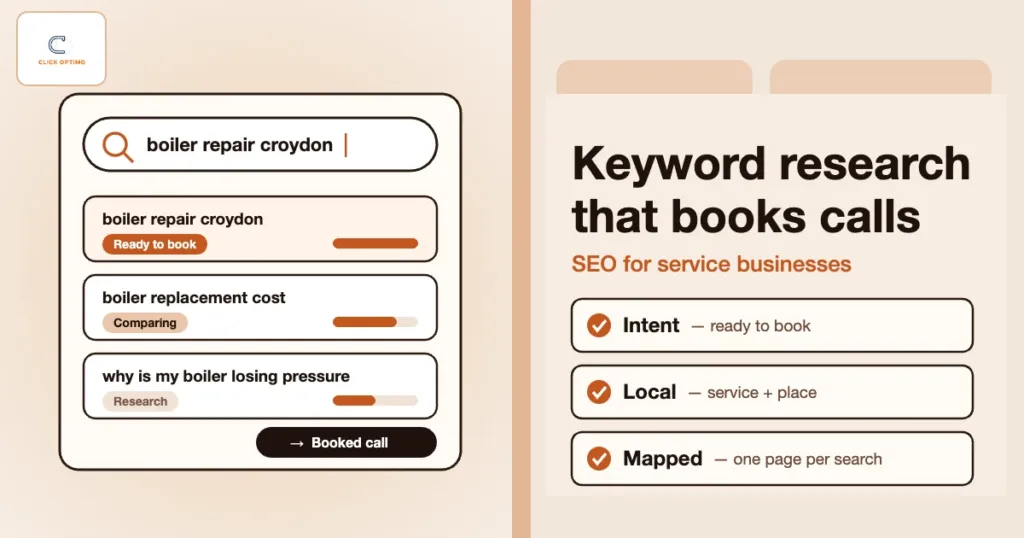
- Intent: is the person ready to book, comparing options, or just curious?
- Competition: who already ranks, and what kind of page does Google prefer for this search?
Without those answers, content is guesswork. You end up writing about topics you find interesting, using words your customers do not use, on pages Google does not think match the search.
Start with intent, not search volume
The most common mistake is sorting a keyword list by volume and chasing the biggest numbers. For a service business, the searches with the most volume are usually the least likely to book. Intent matters far more. Here is how the main types of search play out:
| Search intent | Example search | Page that should answer it | Likely to book? |
|---|---|---|---|
| Urgent / ready to buy | “emergency electrician Leeds”, “same day dentist” | Service page with the phone number and booking button near the top | High |
| Comparing options | “boiler replacement cost”, “best family lawyer Bristol” | Service or pricing page with clear costs, proof and reviews | Medium–high |
| Research / problem | “why is my boiler losing pressure” | Helpful guide that links to the relevant service page | Low today, useful later |
| Brand | “[your business] reviews”, “[your business] opening hours” | Homepage, reviews or contact page | Already knows you |
Build your core pages around the first two rows. Use guides and blog posts for the third row, and always give readers a clear route to the service page. The fourth row mostly looks after itself, but check that your brand searches show accurate details.
Step 1: List the jobs that make you money
Before opening any tool, write down the services you want more of. Not every service you offer — the ones with good margin, capacity to take on more, and customers you would happily serve again. That list is your seed list.
Then collect the words customers already use. The best sources are inside your business:
- Questions your front desk or call handlers hear every week
- Enquiry forms and emails — copy the exact phrases people use
- Call recordings or notes from sales calls
- Reviews, both yours and your competitors’
This step stops you targeting jargon. A clinic might call it “musculoskeletal physiotherapy”; its patients search “physio for back pain”.
Step 2: Expand the list with the right tools
Now widen the list. You do not need expensive software to start:
- Google Search Console: the Performance report shows the searches you already appear for. Terms where you show up on page two are often the quickest wins.
- Google Keyword Planner: free with a Google Ads account. It suggests related terms and gives rough volume ranges.
- Google itself: autocomplete suggestions, “People also ask” and related searches show how people phrase things.
- Your Google Ads search terms report: if you run ads, this shows the real searches that triggered them — and which ones led to calls.
- Paid tools such as Semrush or Ahrefs help with competitor research and difficulty scores, but they are optional at this stage.
Watch out: volume figures for local service searches are estimates, and many tools show “0” or “10” for terms that bring in real enquiries every month. Do not drop a keyword just because a tool says nobody searches for it. If customers ask for it on the phone, someone is searching for it.
Step 3: Add the local layer
Most service searches are local, even when the person does not type a place name. Google already knows roughly where the searcher is. That gives you two groups of keywords to plan for:
- Service only: “roof repair”, “divorce solicitor”. Google shows local results based on the searcher’s location, so your Google Maps presence and service pages both matter.
- Service plus place: “roof repair Sheffield”, “divorce solicitor Leeds”. These suit service pages and, for firms covering several towns, useful location pages.
Also note the modifiers that signal urgency or buying intent in your trade: emergency, same day, 24 hour, cost, price, near me, reviews. You do not need to write “near me” on your pages — Google handles that using location — but these modifiers tell you which searches deserve your best pages.
Step 4: Check the search results by hand
Before you decide which page should target a keyword, search it yourself (ideally in a private window, set to a customer’s area) and look at what Google shows. The results tell you what Google thinks the searcher wants:
- Map pack and ads at the top: strong local, ready-to-book intent. You need a service page and a strong Google Business Profile.
- Mostly guides and articles: research intent. A blog post or guide fits better than a sales page.
- Mostly directories: sites like Checkatrade, Yelp or Avvo dominate. Being listed on those directories may win more work than trying to outrank them.
- Mostly national brands: hard to win with a small site. Look for a more specific, local version of the term.
This five-minute check saves months of writing the wrong kind of page for a keyword.
Step 5: Map one keyword group to one page
Group keywords that mean the same thing — “boiler repair”, “boiler repairs”, “fix my boiler” — and give each group one page. When two pages on your site chase the same group, they compete with each other and Google may rank neither well.
A simple spreadsheet is enough. For each page, record:
- The page URL
- The main keyword group it targets
- Two to five closely related terms
- The search intent
- The action you want visitors to take — usually a call or a booking
Gaps in the sheet become your content plan. If “boiler replacement cost” has no page and your competitors all have one, that is the next page to write. If two pages share a keyword group, merge them or change the focus of one.
Step 6: Use the words naturally on the page
Once a page has its keyword group, make it obvious — to people and to Google — what the page is about:
- Put the main keyword in the page title and H1, for example “Boiler Repair in Croydon | Brand”
- Use it early in the first paragraph, in plain language
- Answer the questions from Step 1 in headings and short FAQs
- Link to the page from related pages using descriptive anchor text, not “click here”
- Write the meta description as an advert: service, place, proof and a reason to call
Then stop. Repeating a keyword over and over — keyword stuffing — makes pages harder to read and can hurt rankings. It is one of the SEO mistakes that hold service sites back. Write for the customer; the keyword should appear because it is the natural way to describe the service.
Use your Google Ads data as a shortcut
If you run Google Ads, you already have some of the best keyword research you will ever get. The search terms report shows real searches that triggered your ads, and — if your tracking is set up — which of them led to calls and bookings. Searches that convert well on ads are strong candidates for SEO pages. Searches that waste money usually belong on your negative keyword list and should not be SEO targets either.
It works the other way too: terms where you rank well organically may need less ad spend. We cover how the two channels support each other in how local SEO and Google Ads lower your CPA.
Measure bookings, not just rankings
Keyword research is only successful if it leads to work. Rankings are a useful early signal, but they move with the searcher’s location and device, and a number-one position for a search nobody books from is worth very little. Track this instead:
- Search Console by page: are your service pages gaining impressions and clicks for the keyword groups you mapped? Where available, use the branded queries filter to separate searches for your business name from new-customer searches. See Search Console for service money pages.
- GA4 key events: calls, form submissions and bookings from organic search, by landing page. Our GA4 guide walks through the set-up.
- Booked jobs: record where each booking came from in your CRM or diary, so you can see which pages bring paying customers. Read how to track booked calls, not clicks.
Review the mapping sheet every quarter. Search language shifts, you add services, and competitors change their pages. Keyword research is not a one-off project.
Common keyword research mistakes
- Chasing volume: big, broad terms bring visitors who rarely book
- Targeting national terms as a local business: you are competing with national brands for people outside your area
- One page for every service: a single “Services” page cannot rank for ten different jobs
- Ignoring your own data: front desk questions, Search Console and Ads search terms usually beat any tool
- Setting and forgetting: a keyword plan from three years ago will miss how customers search now
FAQs
How often should a service business do keyword research?
Do a full round when you plan or rebuild your site, then a lighter review every quarter using Search Console and your Ads search terms report. Revisit it whenever you add a service or area.
Are long-tail keywords worth targeting?
Yes. Longer, more specific searches such as “emergency boiler repair Croydon” have less volume but clearer intent, less competition and usually a higher chance of turning into a booking.
Do I need paid tools like Semrush or Ahrefs?
Not to start. Search Console, Keyword Planner, Google’s own suggestions and your customers’ questions cover most of what a local service business needs. Paid tools help most with competitor research at scale.
Should I target “near me” keywords on my pages?
You rarely need to write “near me” on a page. Google uses the searcher’s location to show nearby businesses, so a strong Google Business Profile and clear service and location pages matter more than the phrase itself.
How can ClickOptimo help?
A Growth Diagnostic reviews the searches you rank for, the pages that should win your best keywords and the tracking behind them, then ranks what to fix by its impact on booked calls. Book via /book/.
Next step: map your money searches to your money pages
Start with the services you want more of, collect the words your customers use, and check each one against a real page on your site. Where a money search has no page — or two pages fighting over it — you have found your next piece of SEO work.
Book a Growth Diagnostic — we will show you which searches should be booking calls and where your site is missing them.
More context: Growth Diagnostic · SEO services · services
growth@clickoptimo.com · +91-8497982579