Table of Contents
- How Google decides who shows on the map
- Get your primary category right
- Complete the profile as if every customer will read it
- Set up service areas honestly
- Build a steady flow of genuine reviews
- Make your website back up the profile
- Keep your name, address and phone consistent everywhere
- Earn local links and mentions
- Keep the profile active
- Measure calls, not just rankings
- A 90-day order of work
- FAQs
- Next step: fix relevance first, then build prominence
When someone searches “emergency electrician near me” or “physio in Leeds”, the first thing they usually see is the map pack: three businesses, a star rating and a call button. For a service business, that small box often decides who gets the job before anyone opens a website.
This post is for owners and marketing leads of service businesses — trades, clinics, home services and professional firms — across the US, UK, AU, CA and NZ who want more booked calls from Google Maps. It covers how Google decides who appears, the local SEO strategies that tend to move rankings soonest, and how to tell whether any of it is turning into bookings.
A word on “faster”: nobody can promise you a position or a timeline on Maps, and anyone who does is guessing. What you can do is remove the things holding your rankings back, in the order that usually pays off first.
You cannot move your office closer to every customer. You can make Google far more confident that you are the right answer.
How Google decides who shows on the map
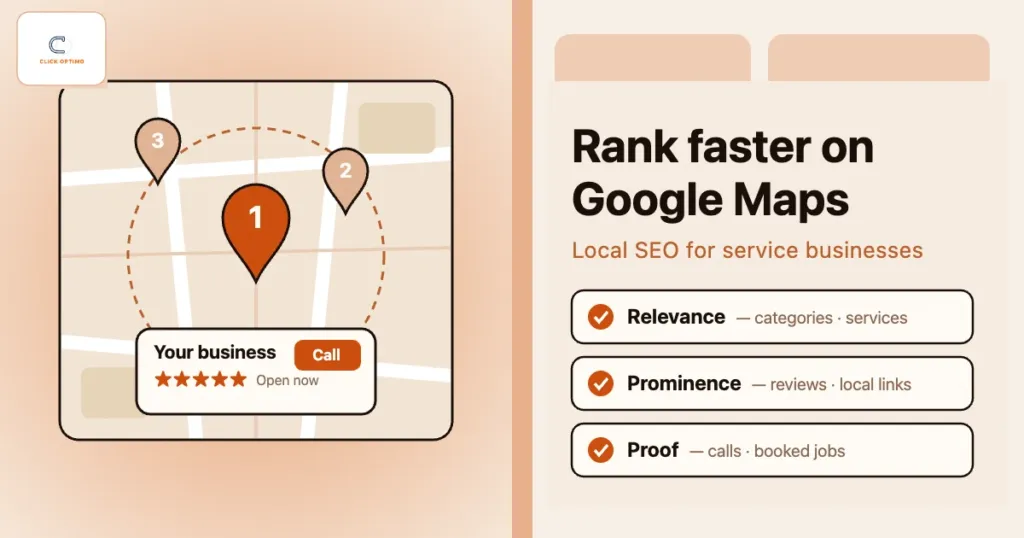
Google says local results are based mainly on three things: relevance, distance and prominence. Knowing which of the three you can influence stops you wasting months on the wrong work.
| Factor | What Google looks at | What you control |
|---|---|---|
| Relevance | How well your profile and website match what the person searched for | Categories, services, service-page content, business description |
| Distance | How far your business is from the searcher, or from the place named in the search | Very little — keep your address or service areas accurate |
| Prominence | How well known and trusted your business is, online and offline | Reviews, local links and mentions, consistent listings, a strong website |
Distance is the one you cannot game. A roofer based on the edge of town will struggle to appear in the map pack for someone searching from the other side, however good the profile. That is why the strategies below focus on relevance first — it is the quickest to fix — and then on prominence, which builds over time.
1. Get your primary category right
Your primary category on Google Business Profile is one of the strongest relevance signals you control. Pick the category that describes the work that actually makes you money, and be as specific as Google allows: “Family law attorney” rather than “Lawyer”, “Physiotherapist” rather than “Medical clinic”.
Add secondary categories only for services you really offer. A long list of loosely related categories does not widen your reach; it blurs what you are.
Check: search your main money term from a customer’s area, open the top three profiles in the map pack and note their primary categories. If all three use a category you do not, find out why before changing anything else.
2. Complete the profile as if every customer will read it
An incomplete profile gives Google less to match against and gives customers less reason to call. Work through every section:
- Services: list each service with a short, plain description of what is included
- Hours: keep them accurate, including bank holidays and emergency cover — calling a closed business is the fastest way to lose a job
- Phone: use a number that is answered in working hours, not a voicemail box
- Website link: point it at the most relevant page; for multi-location firms, that is usually the location page, not the homepage
- Photos: real work, your team, your vans or premises — not stock images
- Description and attributes: fill them in with what makes you different, in the words customers use
Watch out: do not add keywords or town names to your business name unless they are part of your real, signed trading name. It breaches Google’s guidelines, can be reported by competitors and can get the profile suspended — and a suspended profile ranks nowhere.
For the call-handling side — the call button, messaging and weekly upkeep — see Google Business Profile for calls.
3. Set up service areas honestly
If you visit customers rather than serve them at your premises, Google expects you to hide your address and set service areas instead. If customers do come to you, show the address and make sure the signage matches.
What not to do: rent virtual offices or co-working desks to appear in more towns. Google’s guidelines do not accept unstaffed virtual offices as business addresses, verification is getting stricter, and one suspension can wipe out years of reviews.
Setting a wide service area does not mean you will rank across all of it — distance from your verified location still counts. To win work further out, use useful location pages on your website and let Google Ads cover the gaps. We explain how the two channels support each other in how Maps visibility lowers your CPA.
4. Build a steady flow of genuine reviews
Google says the number of reviews and your rating are part of prominence. More to the point, reviews are what a customer reads in the three seconds before deciding which of three businesses to call. A steady flow of recent reviews beats a burst of fifty from one month two years ago.
A simple review routine
- Ask at the moment of satisfaction: job sign-off, end of treatment, case closed
- Send a short direct review link by text, WhatsApp or email the same day
- Make asking part of someone’s job, but do not set staff review targets — Google’s review policy bans review quotas
- Reply to every review within a few days — briefly, mentioning the service where it reads naturally
- Answer negative reviews calmly with facts and an offer to put things right offline
Never buy reviews, offer discounts for them, or only ask customers you expect to be happy. All three go against Google’s policies (buying fake reviews is also illegal in the UK and US), and removed reviews or a suspended profile cost far more than a slow month.
5. Make your website back up the profile
Google checks your profile against your website. If the profile says you do boiler repairs in Croydon and the website has one generic “Services” page, the match is weak. Strengthen it with:
- A dedicated page for each core service, answering the questions your front desk hears
- The same business name, address and phone number in the footer as on the profile
- Page titles that name the service and place, such as “Boiler Repair in Croydon | Brand”
- LocalBusiness schema (or a more specific type) with details that match the profile
- Fast, mobile-friendly pages with a click-to-call button near the top
Related reading: SEO mistakes that hurt rankings, how slow sites cost booked calls and using Search Console on your money pages.
6. Keep your name, address and phone consistent everywhere
Your business details appear on dozens of sites you may have forgotten about. Old addresses from a move, a number from a previous provider or a slightly different trading name all make Google less sure which details are right.
Start with the listings that matter most: Apple Business (which replaced Apple Business Connect in April 2026), Bing Places, Facebook, Yelp, your trade body or accreditation directories, and the main directories in your country and industry. Fix those before paying anyone to submit you to hundreds of low-quality sites.
If you use call tracking, many businesses set the tracking number as the primary number on the profile and keep the main line as an additional phone. That way calls are measured and the listing still matches your details elsewhere.
7. Earn local links and mentions
Prominence also comes from what the rest of the web says about you. Local links and mentions tell Google that real people and organisations in the area know your business. Good sources for service businesses include:
- Manufacturer and supplier “find an installer” or “approved provider” pages
- Trade bodies, accreditations and professional registers
- Local sponsorships: sports clubs, charities and community events
- Local press, when you have a genuine story such as a new hire, a milestone or useful seasonal advice
- Partner businesses that refer work to you and would happily link to you
Skip link packages and private networks. They are one of the classic SEO mistakes and can do lasting damage.
8. Keep the profile active
Add photos after jobs, update hours for holidays, post offers or seasonal advice and answer messages quickly. Google does not say that posts improve rankings directly, so treat them as part of the sales pitch for people already looking at your profile. An active, current profile makes that decision easier.
9. Measure calls, not just rankings
Map rankings change with the searcher’s location, so checking your position from your own office tells you very little. If you track rankings, use a grid-based tool that checks from points across your service area. But rankings are only a means to an end: what matters is booked work.
- Watch calls, website clicks and direction requests in your Google Business Profile performance report
- Add UTM tags to the website link, for example
?utm_source=google&utm_medium=organic&utm_campaign=gbp, so GA4 shows profile traffic separately - Use call tracking so you can tell Maps calls from other calls
- Record booked jobs, not just enquiries, in your CRM or diary
For the full set-up, read how to track booked calls, not clicks and our beginner’s guide to GA4.
A 90-day order of work
Relevance fixes, such as categories and services, can show up in the map pack within weeks. Prominence — reviews and links — builds over months. A realistic order:
- Weeks 1–2: primary category, full profile, business details audit, UTM tags and call tracking
- Weeks 3–4: service pages, location pages, schema and mobile speed
- Weeks 5–8: review routine running every week, top listings corrected, first local links
- Weeks 9–12: compare calls and booked jobs with the start, then double down on what moved
FAQs
How long does it take to rank on Google Maps?
It depends on your market, competition and starting point. Fixes to categories and profile details can show within a few weeks; reviews and local links build over several months. Be wary of anyone who promises a date.
Can I rank in towns where I do not have an office?
It is hard in the map pack, because distance from your verified location matters. Useful location pages can rank in the ordinary search results for those towns, and Google Ads can cover areas where Maps will not reach.
Do Google Business Profile posts improve rankings?
Google does not say they do. Posts are still worth doing because they help people who are already viewing your profile decide to call.
Should I pay for a “guaranteed top three on Maps” service?
No. Nobody controls Google’s results, and these services often rely on tactics that break the guidelines, such as fake reviews or keyword-stuffed names, which put your profile at risk.
How can ClickOptimo help?
A Growth Diagnostic reviews your Google Business Profile, service pages, reviews and tracking, and ranks what to fix by its impact on booked calls. Book via /book/.
Next step: fix relevance first, then build prominence
Start with what you control today: the right primary category, a complete profile and service pages that match it. Then put a weekly review routine in place and measure calls, not positions.
Book a Growth Diagnostic — twenty minutes, Maps and website leaks ranked by diary impact.
More context: Growth Diagnostic · SEO services · services
growth@clickoptimo.com · +91-8497982579