Table of Contents
Same budget. Better diary. For many service accounts, the fastest path is not a new campaign — it is exclusions. Negative keywords stop ads from showing on queries that cannot become booked work: DIY, job-seekers, free advice, wrong trade, training. Pair this playbook with the wasted Google Ads spend checklist so you cut themes with process, not panic.
This guide is for home services and professional services across the US, UK, AU, CA and NZ. Themes and process — not a static mega-list dump you paste blind. No guaranteed CPA. Soft next steps: a Growth Diagnostic when waste themes need prioritising by booked-call impact, or Google Ads for service businesses when the account needs structured hygiene.
Owners often add one angry negative after a bad lead and ignore the search terms report for weeks. That is how DIY and employment intent quietly consume impression share. Treat negatives as operating hygiene — weekly mining, shared lists, conflict checks — measured against cost per booked call, not vanity CTR.
Illustrative waste is easy to spot in hindsight; the hard part is a cadence that catches it before the month closes. This playbook gives themes you can recognise, a process you can staff, and caveats so you do not block the jobs that pay the rent.
How negatives protect booked-call CPA
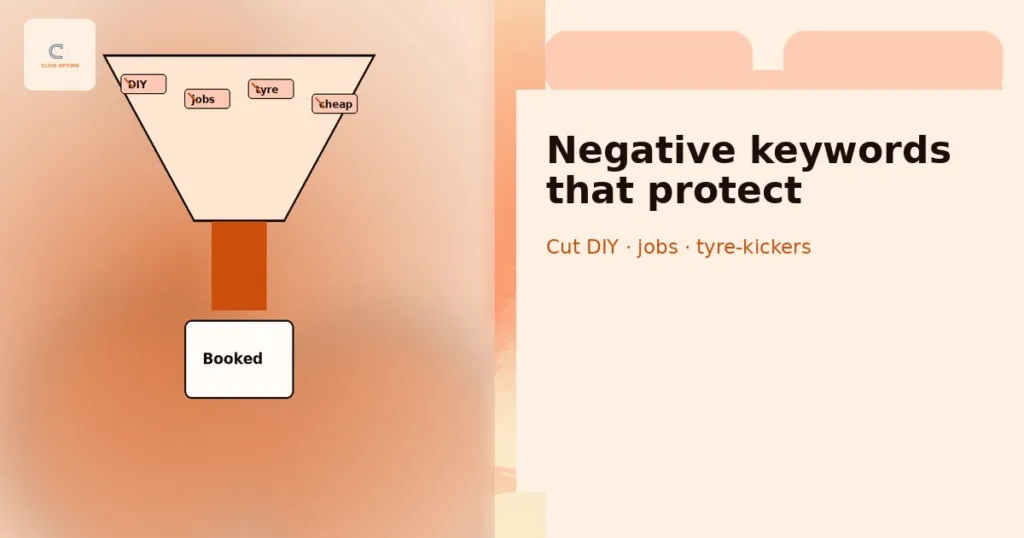
Negatives reduce clicks that cannot convert into diary events. They do not invent demand; they protect the spend that remains. When you track booked calls, not clicks, you can see whether exclusions improved booked-call CPA or merely starved volume. The goal is fewer tyre-kickers and job-seekers — not a silent account.
Negatives also make reporting honest. If half of spend sits on DIY and “salary” queries, optimising bids on the rest is theatre. Clean the query set, then judge ads and landings. Soft proof of method sits on Results.
Think in pounds or dollars moved away from unbookable intent. A week of search-term mining that removes three waste themes can free budget for brand defence or high-intent coverage without raising the monthly cap. That is capital allocation, not pedantry.
Negatives vs better ads vs better landing pages
Three levers, different jobs:
- Negatives — stop auctions you never want.
- Better ads — improve relevance and CTR on auctions you do want.
- Better landing pages — turn remaining clicks into calls; see service ad landing pages that book calls.
Do not use negatives to paper over weak message match or broken tracking. If high-intent queries still fail to book, fix the page and measurement stack — not another mega-list. Conversely, do not expect ad copy alone to filter “how to replace a valve DIY” forever; exclude it.
When in doubt, run a small holdout: leave a grey-area theme live for one more week with tight daily caps while you check CRM outcomes. Excluding without evidence creates false confidence; measuring first keeps the playbook honest.
Universal waste themes for services
Most service accounts share waste families. Label examples as illustrative — always verify against your search terms and offers before adding.
| Theme | Illustrative intents | Why it wastes |
|---|---|---|
| DIY | how to, diy, tutorial, parts only | No paid job |
| Employment | jobs, hiring, salary, cv, career | Seeks work, not service |
| Training | course, certification, apprenticeship | Education intent |
| Free | free, gratis, template | Avoids paying |
| Wrong trade | adjacent trade names you do not offer | Mismatch |
| Info-only | wiki-style definitions with no buying signal | Research without hire |
Build shared negative lists for the universal themes, then layer account-specific lists. Blind mega-lists from forums block good demand (e.g. “free quote” in markets where that phrase means “request a bid”).
Revisit universal lists when you expand offers. A firm that adds financing may suddenly want queries it once excluded; a trade that drops a service must tighten wrong-trade negatives the same week. Version your lists with a date and owner so “who added this?” has an answer.
Safe starters vs account-specific decisions
Safe starters (usually low risk when match types are considered): pure employment stems, clear DIY how-to stems, training/course stems, and trades you never perform. Still check monthly for wanted keywords that have lost impressions.
Account-specific: price-only queries (“cheap,” “lowest”), warranty/legal adjacent terms, software/tool names in professional services, and brand competitors. Decide with sales — some “cheap” callers still book; some “software” queries are buyers researching your stack. Document the decision so the next media buyer does not undo it.
Home services patterns
Home services (plumbing, HVAC, electrical, roofing, cleaning, pest, and similar) see heavy DIY, parts-only, and wrong-trade bleed. Emergency campaigns attract “how to reset” and “fuse box diagram” alongside true emergencies. Non-emergency / planned campaigns attract tyre-kickers comparing price sheets without a job. “Near me” mismatches appear when geo is loose or service areas are overstated — fix geo and landing proof, not only negatives; see local SEO + Ads and CPA.
Separate emergency vs planned structures so negatives can be tighter on planned (more DIY filtering) without starving emergency brand + high-intent themes. Capacity matters: if phones cannot answer, even perfect negatives will not fill the diary.
Watch for geo and “near me” oddities: queries naming suburbs you do not serve, or retail parks nowhere near your crew. Negatives help; honest service-area settings and landing proof help more. Seasonal spikes (storms, heatwaves, tax deadlines for adjacent pros) change the mix — schedule an extra search-term pass when demand surges.
Illustrative theme examples (not copy-paste guarantees)
Illustrative only — adapt to your trade and market:
- DIY / how-to: *how to*, *diy*, *replace myself*, *diagram*, *youtube*
- Parts / retail: *part number*, *buy online*, *homedepot/bunnings-style retailer names you do not match*
- Employment: *apprentice*, *hiring*, *salary*, *union jobs*
- Wrong trade: adjacent trades you refuse (e.g. plumber excluding *electrician* if truly out of scope — careful with multi-trade brands)
- Tyre-kicker price-only: decide with sales whether *cheap* / *cheapest* stays or goes
Never paste a 500-term list without search-term evidence. Over-blocking “repair” variants can kill volume. Revisit after seasonal shifts.
Also watch marketplace and DIY-forum spillover: queries that include retailer or forum names rarely book a crew. Exclude them when they appear with spend and zero diary events. Keep manufacturer part numbers out of Search unless you truly retail parts — otherwise you pay for catalogue browsers.
Professional services patterns
Professional services (legal, accounting, clinics, consultancies, agencies, B2B specialists) waste differently. Student and research intent (“essay,” “definition,” “pdf”), career intent (“associate salary,” “trainee”), and software/tool names (“Clio alternative,” “Excel template”) appear alongside wrong practice-area queries. A family lawyer does not want criminal “how to beat a ticket” DIY; a clinic does not want “medical school ranking.”
Shared universal lists still help (jobs, free, course). Vertical lists must be curated with partners who know which research queries precede a high-ticket retainer.
Wrong practice-area bleed is expensive: family law clicks on immigration, dental on cosmetic tourism packages you do not offer, B2B consultants on freemium software comparisons. Prefer campaign segmentation and precise ads first; use negatives to finish the cut. Document edge cases in the account notes so seasonal contractors do not “clean up” a carefully kept exception.
When a “waste” term is actually research for a high-ticket close
Not every informational query is junk. “Best [practice area] for [situation]” or “what to bring to consultation” can be late-stage research. Exclude aggressively only when historical data shows zero booked outcomes — or when the page you show cannot serve that intent. Sometimes the fix is a better landing or SEO article, not a negative. Tie those opportunities to SEO for service businesses rather than forever buying the wrong click.
Ops rule: Before negating a high-volume informational theme, check CRM for any closed-won from that query family in the last 90 days. If wins exist, refine match types or ads first.
Operating cadence
Run negatives like ops, not heroics:
- Weekly — mine search terms on active campaigns; batch themes (DIY, jobs, wrong trade) rather than one-off panic adds.
- Shared lists — account-level or MCC shared lists for universal waste; campaign lists for offer-specific exclusions. Performance Max campaigns now accept campaign-level negatives too.
- Conflict checks — ensure negatives do not block exact/phrase positives you still need; check the search terms report and Google’s conflicting negative keywords recommendation, as Google Ads does not list the searches your negatives block.
- Match-type discipline — understand phrase/exact negative behaviour in current Google Ads; do not assume legacy broad-negative myths.
- Diary join — confirm remaining queries still map to booked calls via Analytics & tracking.
Add a monthly check for keywords whose impressions have dropped so over-blocking surfaces early. If volume collapses after a bulk add, roll back by theme, not by deleting the entire shared list in a panic. Keep a simple changelog: date, theme, match type, owner, reason. Agencies that cannot show that changelog are guessing — see brief or fire a Google Ads agency.
When waste, tracking and capacity are unclear, a Growth Diagnostic ranks themes by booked-call impact before you carve the account with a mega-list.
Tie negatives to SEO content opportunities
Queries you negate from Ads are sometimes perfect SEO or content candidates: DIY explainers that educate and soft-convert later, career pages you do not want in Ads, or practice-area guides that support high-ticket research. Route those themes to SEO for service businesses and the wider services hub instead of paying CPC forever. When Ads, SEO and tracking need one rebuild, soft next step is the 90-Day Lead Engine — see the day-by-day Lead Engine walkthrough and how to brief or fire a Google Ads agency when partners never open the search terms report.
Hand SEO a monthly export of negated informational themes with volume notes. That turns waste into a content backlog without guessing topics. Paid and organic stop arguing when both teams share the same unbookable-vs-bookable definitions.
FAQs
What are negative keywords in Google Ads?
Exclusions that prevent your ads from showing on search queries you do not want—reducing wasted clicks that cannot become booked work.
How often should service businesses add negatives?
Review search terms at least weekly on active accounts; batch themes rather than one-off panic adds.
Should home services and professional services use the same list?
Share universal themes (jobs, DIY, free) but maintain vertical-specific lists. Blind mega-lists block good demand.
Can negatives hurt volume too much?
Yes if over-aggressive. Protect high-intent variants and check periodically for keywords that have lost impressions.
Do negatives replace conversion tracking?
No. Negatives cut waste; tracking tells you which remaining queries book calls.
How can ClickOptimo help?
A Growth Diagnostic prioritises waste themes by booked-call impact. Book via /book/.
Next step: vote the budget toward bookable queries
Do not celebrate a cheaper CPC built from DIY clicks. Mine search terms weekly, share universal exclusions, keep vertical lists honest, and judge success on booked calls. Negatives are not a one-time cleanse; they are how you keep the auction honest as language drifts. When you want a guided pass that ranks waste against capacity and tracking, book a short diagnostic.
Book a Growth Diagnostic — twenty minutes, gaps ranked by diary impact.
More context: Growth Diagnostic · services · Google Ads for service businesses
growth@clickoptimo.com · +91-8497982579