Table of Contents
Quality Score looks fine. The diary is empty. That gap is where many service businesses burn paid search: the click lands on a page that talks about the brand, not the job, or buries the phone under three scrolls of stock photography. A Google Ads landing page for a service business exists to turn intent into a conversation the front desk can book — not to win a design award.
This blueprint is for appointment-led firms — home services, trades, clinics, professional practices — across the US, UK, AU, CA and NZ. No fake conversion-rate claims. Soft next steps: a Growth Diagnostic when Ads, pages and tracking disagree, or the 90-Day Lead Engine when money pages need a time-boxed rebuild with Google Ads for service businesses.
Owners often fix the auction first and the post-click experience last. That order is backwards when the offer is clear and the waste is on-page. Message match, call paths, form friction and thank-you hygiene decide whether spend becomes booked work. Soft proof of method sits on Results; logos do not replace diary outcomes.
Message match for service intent
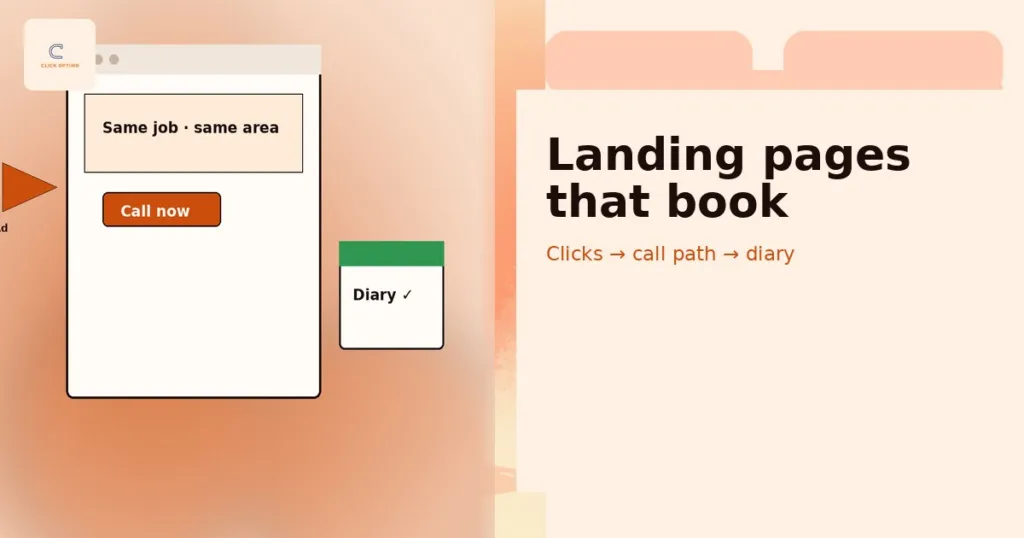
Message match means the prospect recognises the same job, geography and urgency they typed — within a second of landing. Headline language should track the keyword theme (emergency boiler repair, family law consult, HVAC tune-up), not a vague “welcome to our company.” Prove service area and job type above the fold: suburb or region names, “we cover X,” and what you will not do. When the ad promised same-day and the page sells a brochure, Quality Score theatre stays green while cost per booked call collapses.
Keep one primary promise per page. Multi-service megamenus dilute intent. If you sell both emergency and planned work, split patterns rather than forcing one hero to do both jobs. Tie landing themes back to the wasted Google Ads spend checklist so search-term waste and page mismatch do not hide each other. If a campaign uses AI Max or Performance Max, check final URL expansion: it can send clicks to other pages on your site, so exclude URLs or switch it off to keep paid traffic on the page you built.
Write a one-line “job brief” for every money page: who it is for, where you serve, what happens after they call, and what you refuse. If two keyword themes need different briefs, they need different pages — or at least different hero blocks. Message match fails most often when the account structure is tidy and the page is a generic homepage clone. Paid traffic deserves a page that assumes the visitor already raised their hand.
Emergency vs planned-job page patterns
Emergency pages lead with speed, phone, hours and trust that you actually answer. Click-to-call dominates; forms are secondary. Copy is short: problem → area → call now → what happens next.
Planned-job pages (installs, consults, assessments) can lead with a short form or calendar, plus clear scope and exclusions. Urgency is softer; proof and process matter more. Do not paste emergency CTA language onto a consultative offer — mismatched urgency kills trust as fast as a slow page.
Above-the-fold conversion paths
Above the fold, the visitor should see three things without hunting: what you do, where you do it, and how to start (call, form or book). Trade-offs:
- Click-to-call — best for high-intent mobile home services and same-day jobs. Pair with a visible number on desktop.
- Short form — useful when the buyer needs to describe the job or when calls overwhelm capacity; keep fields minimal.
- Calendar embed — strong for consultative professional services when diary ownership is clear; weak when the buyer expects an immediate human.
Pick the primary path that matches how customers actually buy in your vertical, then measure booked calls, not clicks. Dual CTAs are fine if hierarchy is obvious; three equal buttons are not.
Calendar embeds fail when no one owns the diary or when slots are stale. Forms fail when the SLA is “we’ll get back to you” with no time bound. Click-to-call fails when the number rings to a full mailbox. Choose the path you can staff — conversion UX without capacity is still a leak. Revisit the path after four weeks of diary-reconciled data, not after one loud weekend of form spam.
Wireframe rule: Hero = headline (keyword theme) + one proof line + primary CTA (call or book) + secondary (short form). Everything else scrolls.
Mobile-first call UX without breaking desktop forms
Design mobile first for call-led services: sticky or prominent tap-to-call, large tap targets, no hover-only reveals. On desktop, keep the same number visible and a short form for users who prefer typing. Do not hide the phone behind a “contact us” maze. Test that call tracking numbers still render as dialable links and that forms submit cleanly on common phones — measurement detail sits in Analytics & tracking and the GA4 + call tracking + Ads stack.
Trust without fluff
Service buyers need proof they will not be stranded: recent reviews with job context, licences or registrations where relevant, response-time expectations, and photos of real work — not stock smiles. Avoid fake metrics (“500% more leads”) and vague awards. Specific beats theatrical: “Licensed & insured in [region],” “Calls answered within X during hours,” “Review excerpts naming the service.” Soft method proof can point to Results; never invent numbers.
Trust also means saying what you do not take. Exclusions reduce tyre-kicker forms and angry calls. Pair trust blocks with clear NAP and service-area language so Maps, Ads and site tell one story — see local SEO and Google Ads working together.
Place trust within a scroll of the primary CTA — not three screens below a lifestyle banner. On mobile, a single review excerpt plus a licence line often beats a wall of logos. If you use video, keep it optional and below the call path so autoplay never blocks the tap. Trust is evidence; fluff is decoration that delays the booked call.
What to remove (nav clutter, unrelated offers)
Strip global megamenus, blog sidebars, unrelated service tiles and “explore our culture” detours from paid landings. Remove competing offers that steal the click (financing widgets, partner ads, newsletter pop-ups before the first CTA). Keep a thin footer with contact and legal. The services hub is for browsers; paid landings are for bookers.
Forms that create pipeline (not spam magnets)
Field minimalism wins: name, phone (or email for consultative), job type, postcode/area, and one qualification question if needed (“Is this an emergency?” / “Practice area”). Every extra field is a filter — use filters deliberately, not habitually. High-level spam defences (honeypot, basic rate limits, optional CAPTCHA on abuse) protect the diary without turning the form into an interrogation. Route submissions to a human SLA, not an unattended inbox.
Qualification questions should block DIY and wrong-trade intent early — the same themes you exclude with negative keywords and waste checklists. If forms spike while booked calls stay flat, you built a spam magnet, not a pipeline.
Route hot jobs (emergency flags, high ticket) to a faster queue. Tell the prospect what “submitted” means in minutes, not marketing poetry. If your CRM cannot show form → booked within a week, pause new creative tests until the join works — otherwise you will optimise the wrong field.
Thank-you pages as conversion and next-step UX
The thank-you page is not a dead end. Confirm what happens next (“We’ll call within X,” “Check your email for the calendar invite”), set expectations, and offer a secondary CTA (prepare documents, call now if urgent). Fire conversion events here — not only on button click — so Analytics & tracking matches CRM and diary. Weak thank-you UX loses trust and breaks measurement; strong thank-you UX reduces no-shows and duplicate enquiries.
Speed and clarity as conversion factors
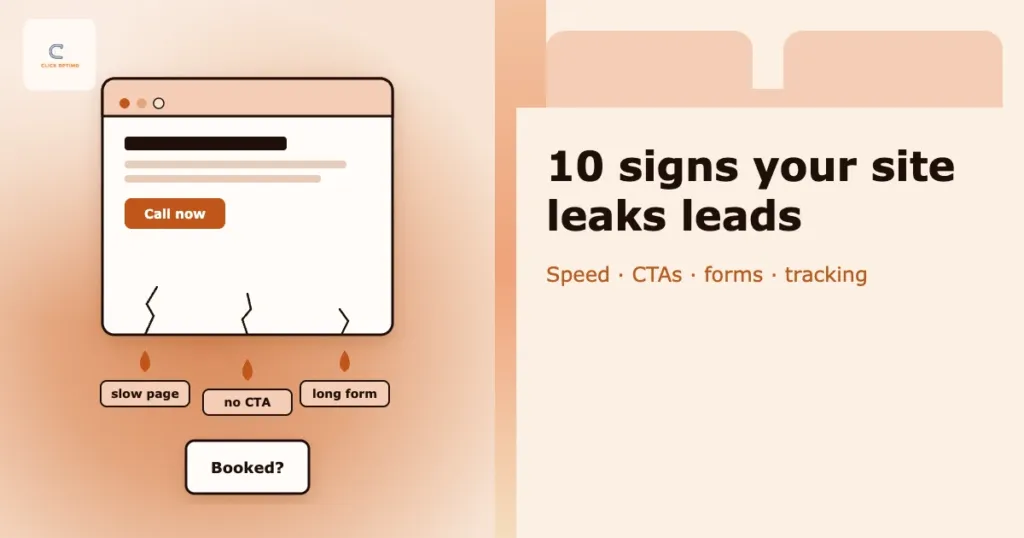
Slow pages waste ad spend before the call or form exists. Treat load time and visual clarity as conversion factors, not only “SEO technical.” Light touch on Core Web Vitals: compress hero images, avoid heavy third-party widgets above the fold, keep scripts lean. Clarity means one idea per screen, readable type, and contrast that works on phones in sunlight. You do not need a full CWV audit to remove an autoplay video and a chat stack that blocks the call button.
When speed, message and tracking still disagree with the diary, a short Growth Diagnostic ranks page and Ads gaps by booked-call impact.
Clarity also means honest next steps on the page itself: “Call now for same-day,” “Book a 20-minute consult,” “Request a quote — we reply within one business day.” Ambiguous “Learn more” buttons belong on blog posts, not paid landings. If a third-party chat or scheduler adds three seconds and a cookie wall before the phone, remove it from the paid template until you can prove it lifts booked calls.
Landing + Ads + SEO as one money-page system
Landing pages are not a paid-only orphan. The same money-page system should serve high-intent organic and paid demand: consistent offers, NAP, proof and thank-you events. SEO for service businesses builds durable pages; Ads stress-tests them under spend. When campaigns, landings and tracking are siloed, you get conflicting “wins.” Soft next step when the rebuild needs to be time-boxed: the 90-Day Lead Engine — see also the day-by-day Lead Engine walkthrough and how to brief or fire a Google Ads agency when partners ignore the page.
Practically: one owner for money-page copy, one scoreboard for Spend | Enquiries | Booked, and a shared definition of “booked” across forms and calls. When SEO publishes a new service page, Ads should be able to land on it without a redesign scramble. When Ads finds a winning angle, SEO should inherit the proof and FAQs. That loop is the system — not a one-off landing experiment that dies when the campaign pauses.
FAQs
What makes a good Google Ads landing page for service businesses?
Clear message match, obvious service area, a fast path to call or book, credible trust signals, and tracking that records enquiries and booked outcomes.
Should service landing pages prioritise calls or forms?
Match how customers actually buy. Many home services need click-to-call; consultative services may need forms or calendars. Measure booked calls, not just form volume.
Why does the thank-you page matter?
It confirms next steps for the prospect and is often where conversion events should fire. Weak thank-you UX loses trust and breaks measurement.
Do I need a separate landing page for every keyword?
Not always. Group by intent and offer; avoid doorway-thin pages. Separate when message, geography or job type truly differs.
Can a slow page waste ad spend?
Yes—delays increase abandonment before the call or form. Treat speed as part of conversion, not only “SEO technical”.
How can ClickOptimo help with landing conversion?
A Growth Diagnostic reviews Ads, pages and tracking together. Book via /book/.
Next step: fix the page before you buy more clicks
Do not award the next pound to a new auction while the current landing fails message match, call UX or thank-you hygiene. Align headline to intent, put the primary path above the fold, strip clutter, and join conversions to the diary. When you want a guided pass across Ads, pages and tracking, book a short diagnostic.
Book a Growth Diagnostic — twenty minutes, gaps ranked by diary impact.
More context: Growth Diagnostic · services · Google Ads for service businesses
growth@clickoptimo.com · +91-8497982579